 Guides
The Ultimate IPTV Subscription Setup Guide 2025
By IPTV Expert • 2025-01-10
Introduction to IPTV Subscription Setup
Setting up an IPTV subscription doesn't have to be complicated. Whether you're a complete beginner or looking to optimize your existing setup, this comprehensive guide will walk you through everything you need to know about configuring IPTV on any device in 2025.
Quick Overview
- ✅ Compatible with all major devices
- ✅ Setup time: 5-15 minutes
- ✅ No technical expertise required
- ✅ Works with most IPTV providers
- ✅ Free apps available
What You'll Need Before Starting
Before diving into the setup process, make sure you have:
- Active IPTV Subscription - Your provider should have sent you login credentials
- Compatible Device - Smart TV, Firestick, Android box, phone, or tablet
- Stable Internet - Minimum 15 Mbps for HD, 25 Mbps for 4K
- IPTV App - We'll cover the best options below
Setting Up IPTV on Amazon Firestick
The Amazon Firestick is one of the most popular devices for IPTV streaming due to its affordability and ease of use.
Step 1: Enable Apps from Unknown Sources
Navigate to Settings > My Fire TV > Developer Options > Apps from Unknown Sources > Turn ON
Step 2: Install Downloader App
Go to the Amazon App Store and search for "Downloader" - it's free and essential for sideloading IPTV apps.
Step 3: Download Your IPTV App
Using Downloader, enter the URL for your preferred IPTV app:
- IPTV Smarters Pro: Popular and user-friendly
- TiviMate: Best interface and features
- OTT Navigator: Lightweight and fast
Step 4: Enter Your Credentials
Open the app and enter your IPTV credentials:
- Username
- Password
- Server URL (portal URL)
Setting Up IPTV on Smart TV
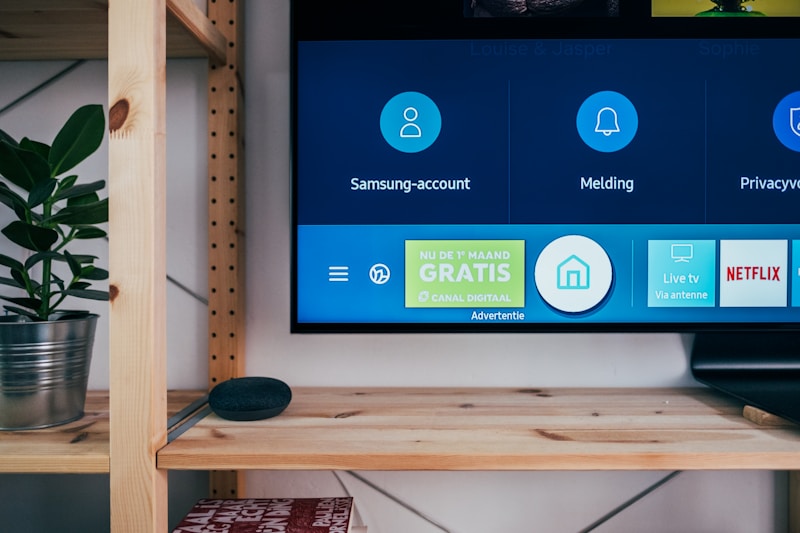
Most modern Smart TVs support IPTV apps directly from their app stores.
Samsung Smart TV
- Open the Samsung App Store
- Search for "Smart IPTV" or "IPTV Smarters"
- Install and launch the app
- Enter your credentials
LG Smart TV
- Open the LG Content Store
- Search for IPTV apps
- Install Smart IPTV or SS IPTV
- Configure with your subscription details
Comparison: Best IPTV Apps
| App Name | Price | Best For | Features |
|---|---|---|---|
| TiviMate | $5/year | Power users | EPG, Recording, Multi-screen |
| IPTV Smarters | Free | Beginners | Simple interface, Reliable |
| OTT Navigator | Free | Android | Lightweight, Fast loading |
| Smart IPTV | $6 one-time | Smart TVs | Native TV app, Clean UI |
Troubleshooting Common Issues
Buffering Problems
- Check your internet speed (use speedtest.net)
- Try a wired ethernet connection instead of WiFi
- Reduce video quality settings
- Contact your provider about server issues
Channels Not Loading
- Verify your subscription is active
- Clear app cache and restart
- Re-enter your credentials
- Try a different IPTV app
EPG Not Showing
- Enable EPG in app settings
- Wait 24 hours for EPG data to populate
- Check with your provider for EPG URL
Optimizing Your IPTV Experience
To get the best streaming quality:
- Use Ethernet - Wired connections are more stable than WiFi
- Update Regularly - Keep your apps and device firmware updated
- Clear Cache - Periodically clear app cache for better performance
- VPN Consideration - Some users prefer using a VPN for privacy
Frequently Asked Questions
Q: How long does IPTV setup take? A: Most setups take 5-15 minutes once you have your credentials.
Q: Can I use one subscription on multiple devices? A: This depends on your plan. Multi-connection plans allow simultaneous streaming.
Q: Do I need a VPN for IPTV? A: A VPN is optional but can provide privacy and potentially better routing.
Q: Why is my IPTV buffering? A: Usually due to slow internet, WiFi issues, or server problems. Try the troubleshooting steps above.
Conclusion
Setting up an IPTV subscription is straightforward when you follow the right steps. Whether you're using a Firestick, Smart TV, or mobile device, the process is similar: install an app, enter your credentials, and start streaming.
For the best experience, we recommend TiviMate for advanced users and IPTV Smarters for beginners. Both apps work excellently with quality IPTV providers.
Ready to start streaming? Get your IPTV subscription today and enjoy 21,000+ channels on any device!